

EnglishSvenska
Oct 6th 2026
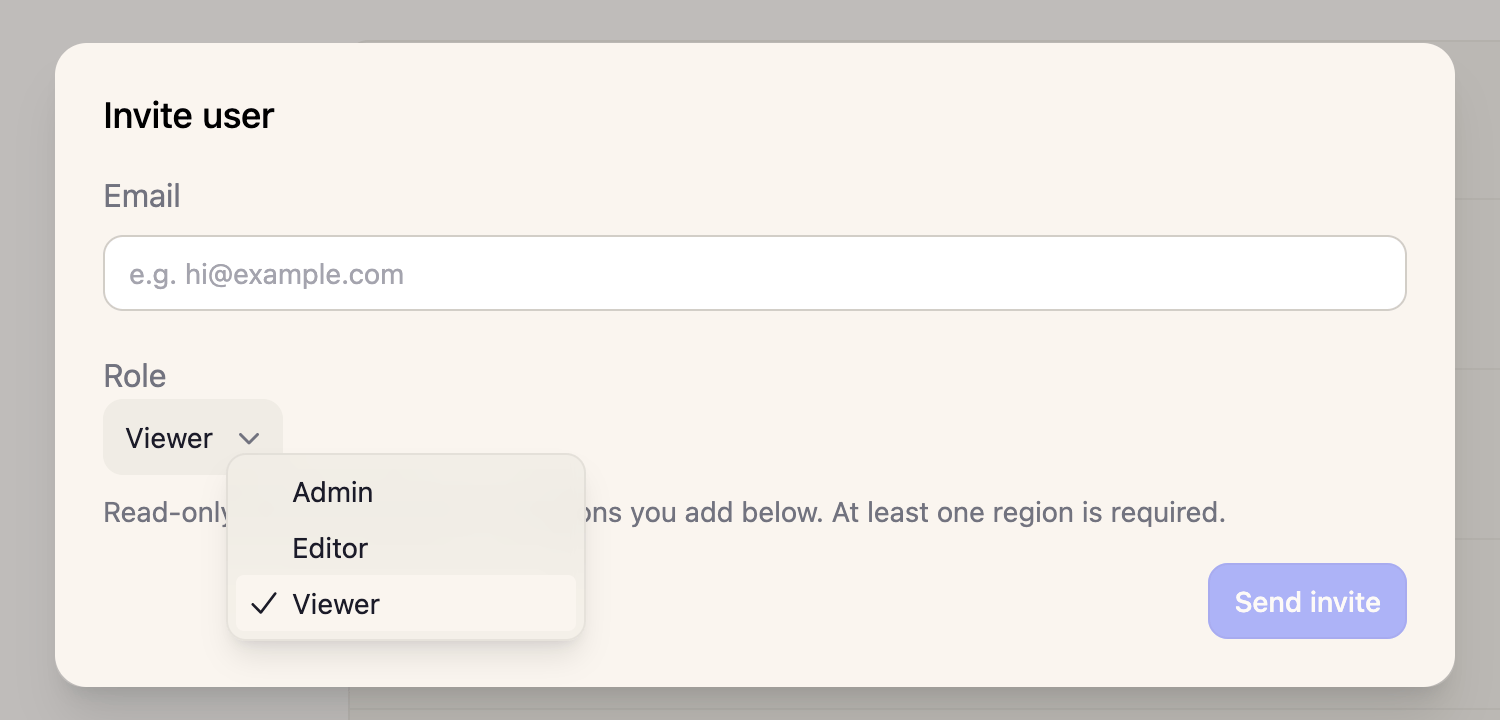
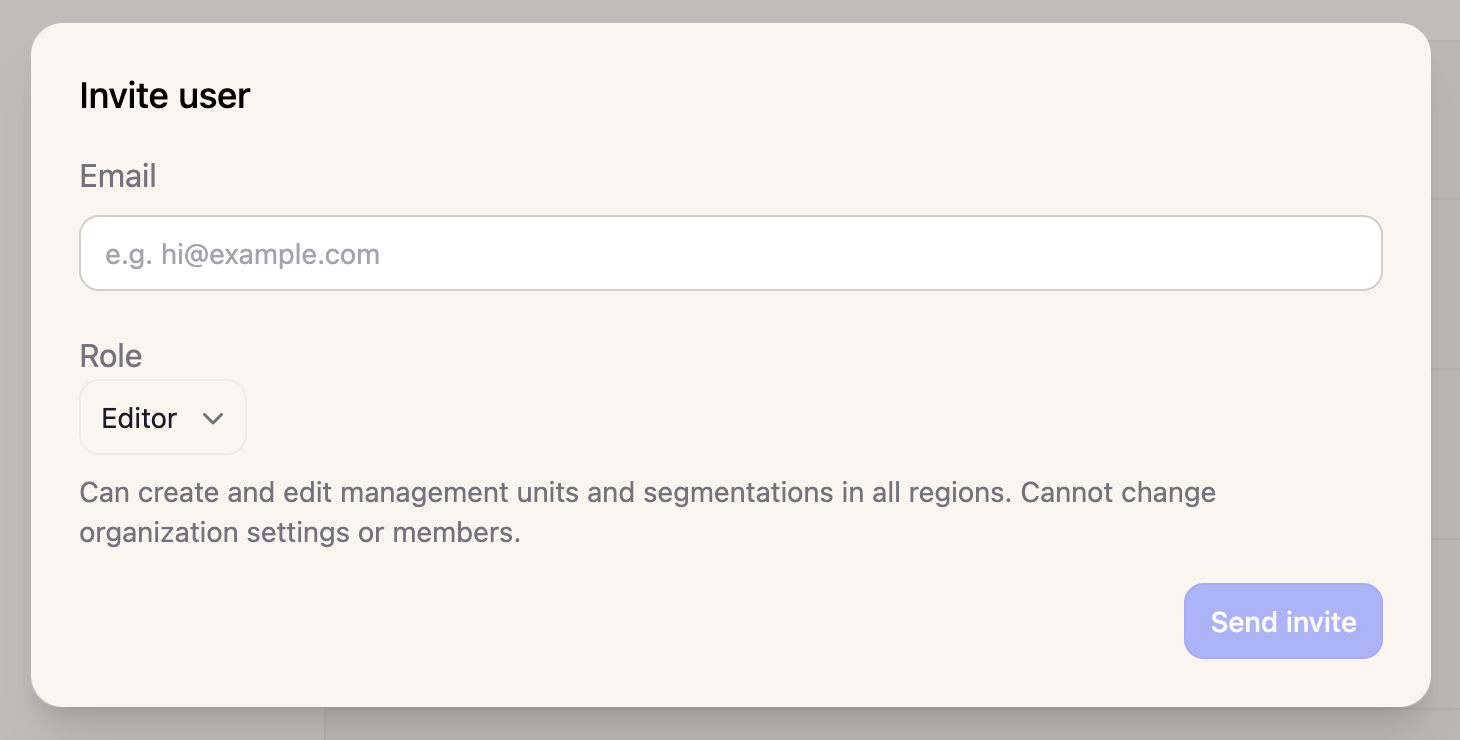
🆕 “High Resolution Monitoring live across Sweden” - Terra Labs runs activity detection across all high resolution imagery accessible in the platform, across all of Sweden from 2010. This means that Terra Labs suggested segmentations take into account changes discovered via High Resolution monitoring, providing much more precise segmentation suggestions. Coming soon: High resolution monitoring all the way back to the 1950s. 🆕 “New user roles: Admin, Editor and Viewer” - We have updated the user roles in the platform.- Admin (previously Owner): unchanged. Can do everything, including organization settings and manage user memberships.
- Editor (new): can create, edit and delete management units, compartments and segmentations in all regions. Cannot change organization settings, manage members or see API keys.
- Viewer (previously Staff): read-only access, limited to assigned regions. Compared to the old Staff role, Viewers can no longer edit segmentations or compartments, switch segmentation versions, or list the organization’s API keys and members. Agent chat and map still work as before.
Sept 24th 2026
🆕 “Power lines available as map layer and searchable via the agent” - You can now turn on and off a layer that shows power lines (you find it in the same place as the other map layers). This layer is also available via the agent and you can engage with it via the chat.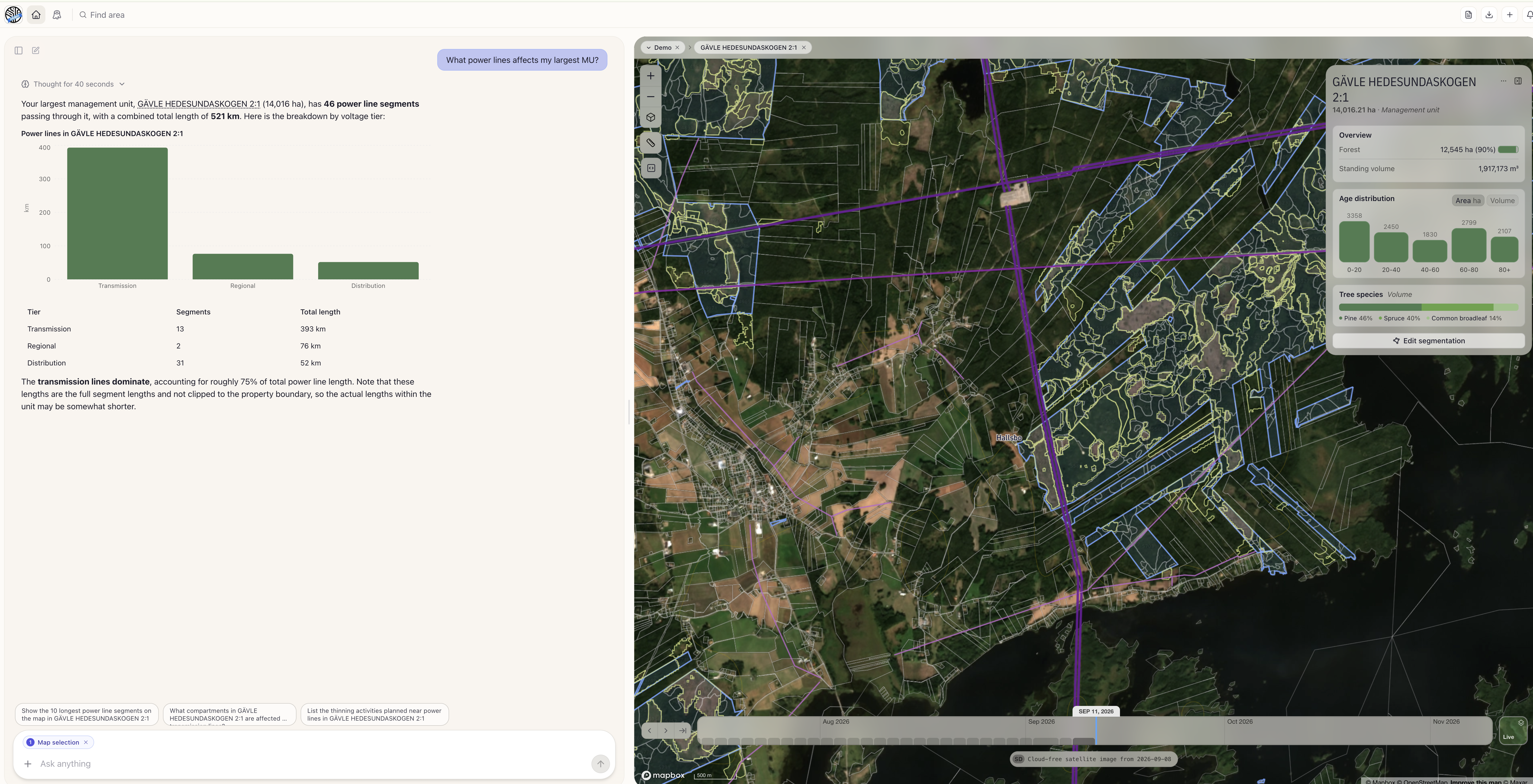
Sept 20th 2026
🆕 “Quality assure your forest plan” - You can now upload your existing forest plan to the AI Agent and ask it to quality assure it. It will produce both a comparison/evaluation in the chat but also create a report in an Excel file that you can download from the chat window. The evaluation uses a sophisticated prioritization mechanism where the underlying AI model estimates what compartments in the plan might need extra attention while others can be assessed directly using existing metrics.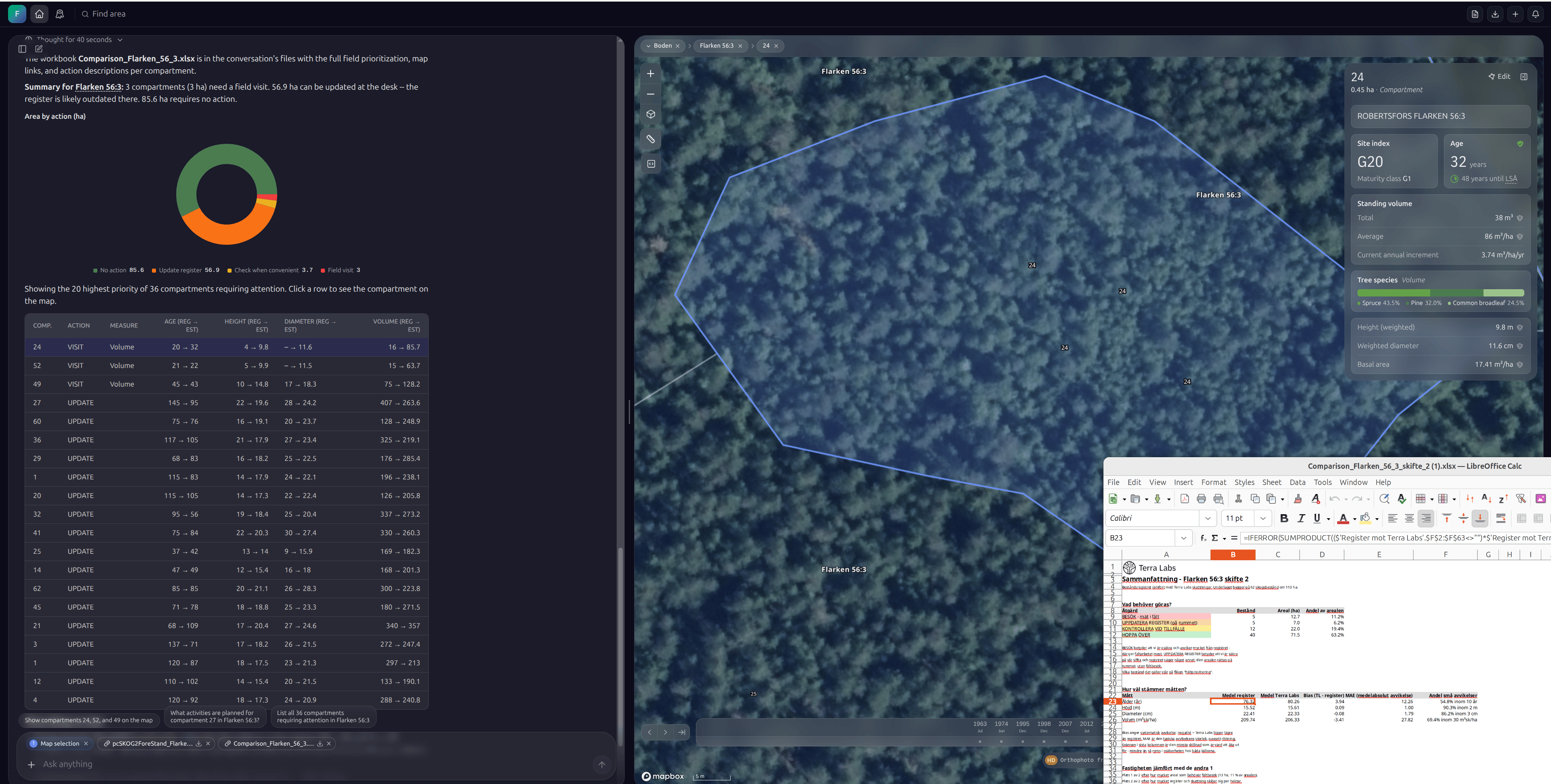
Sept 14th 2026
🆕 “New improved segmentation capabilities” The underlying AI models that create Terra Labs compartment segmentations are now using low resolution monitoring as basis for more granular segmentations. Note that you need to go into your segmentation versions in order to update to any new segmentations available to your management units.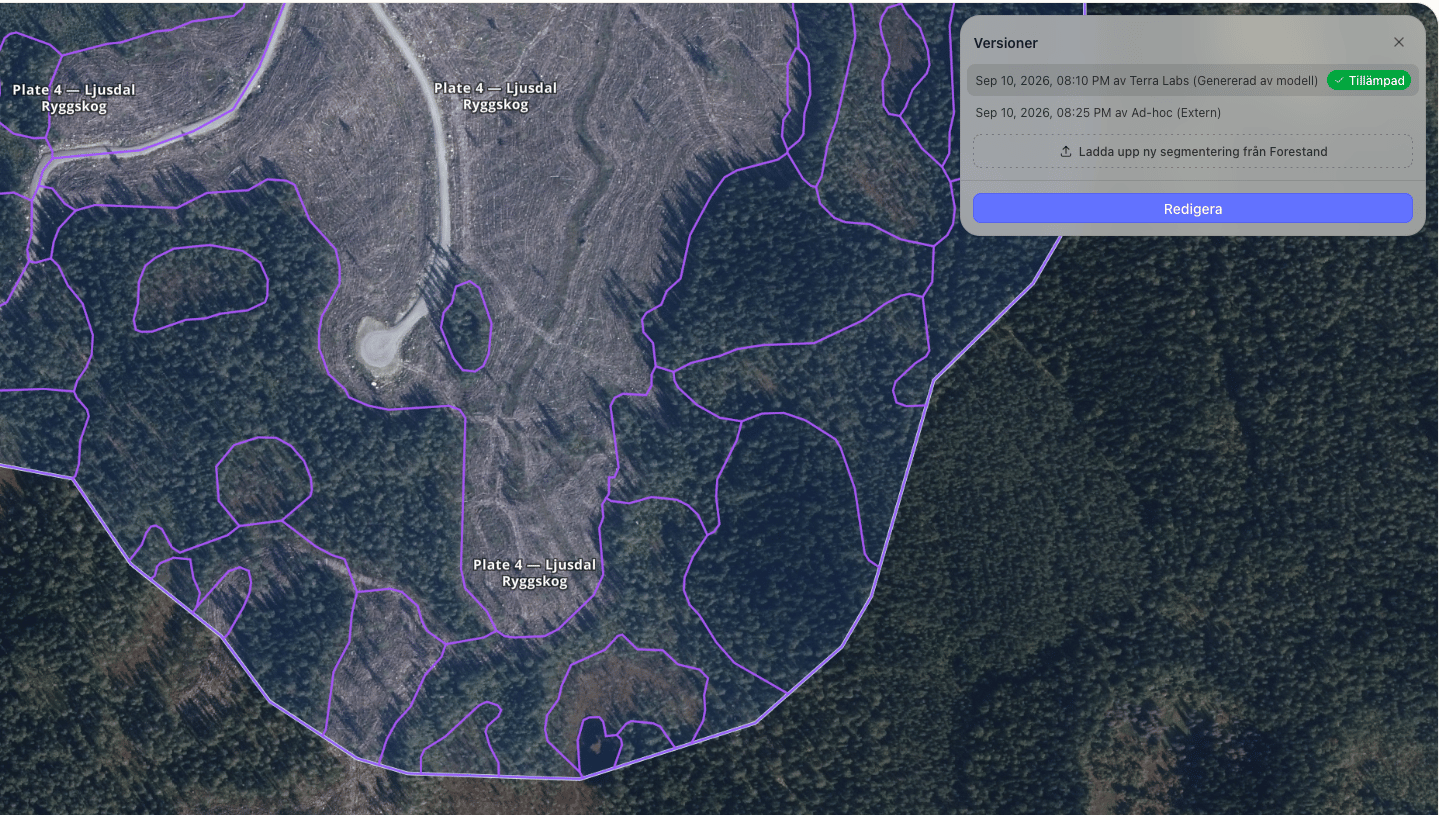
Sept 12th 2026
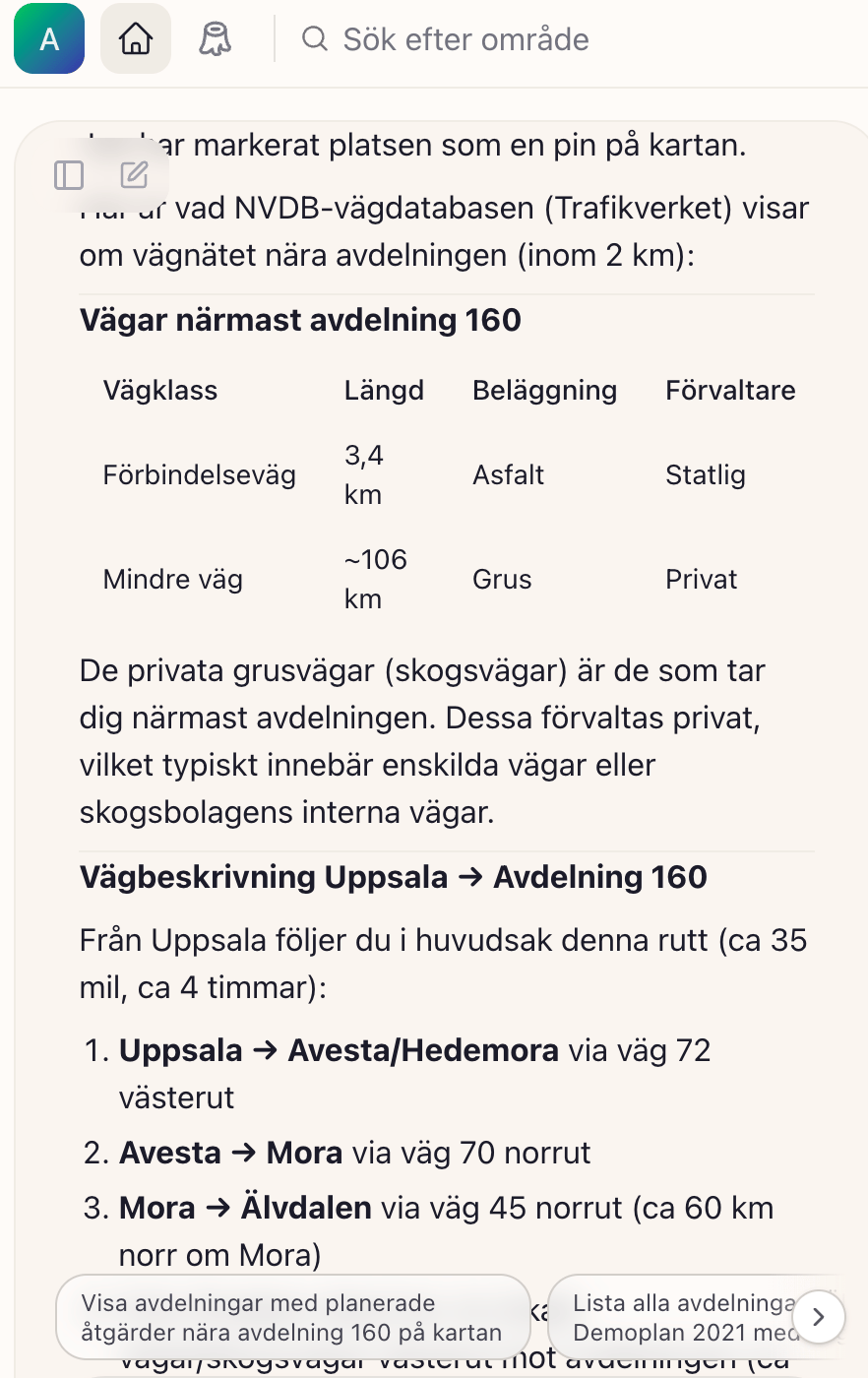
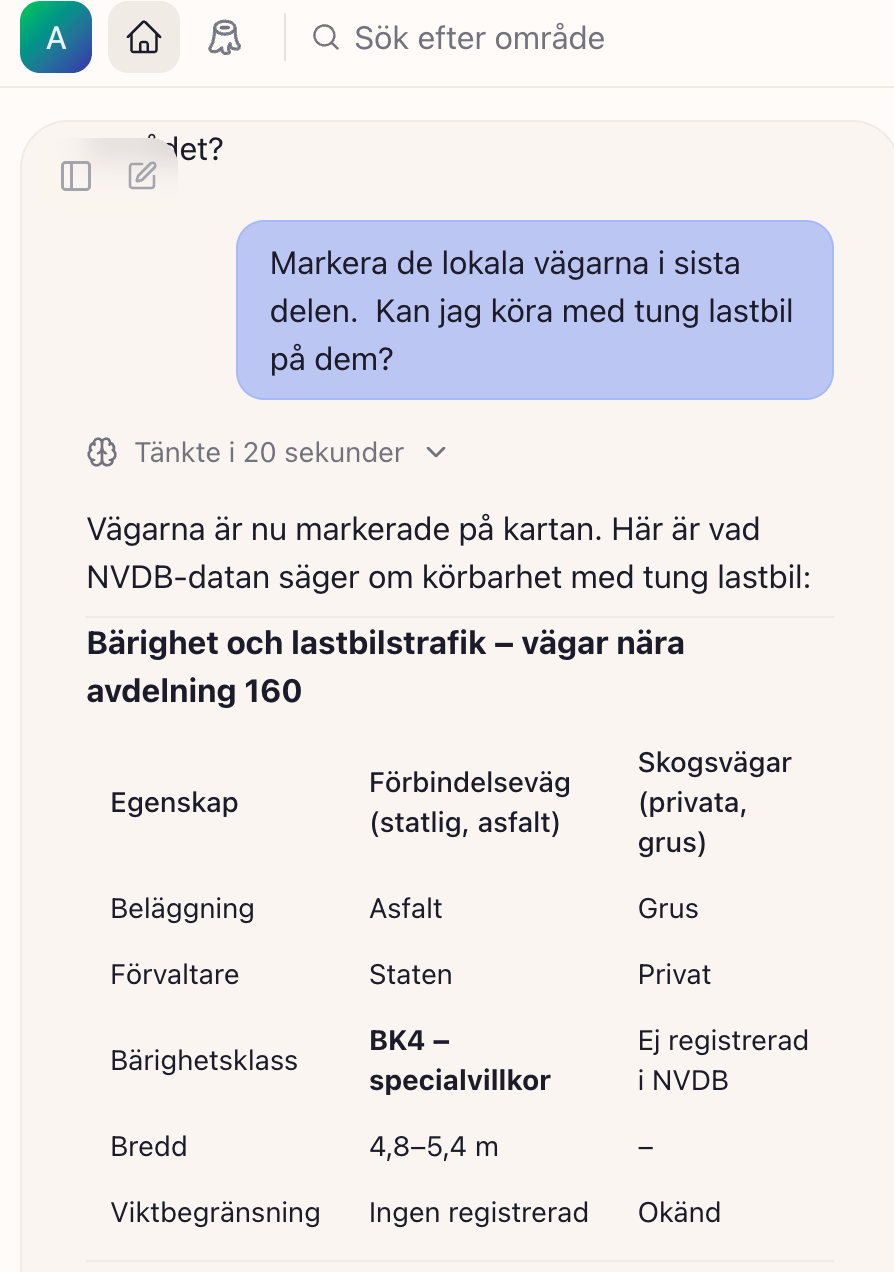
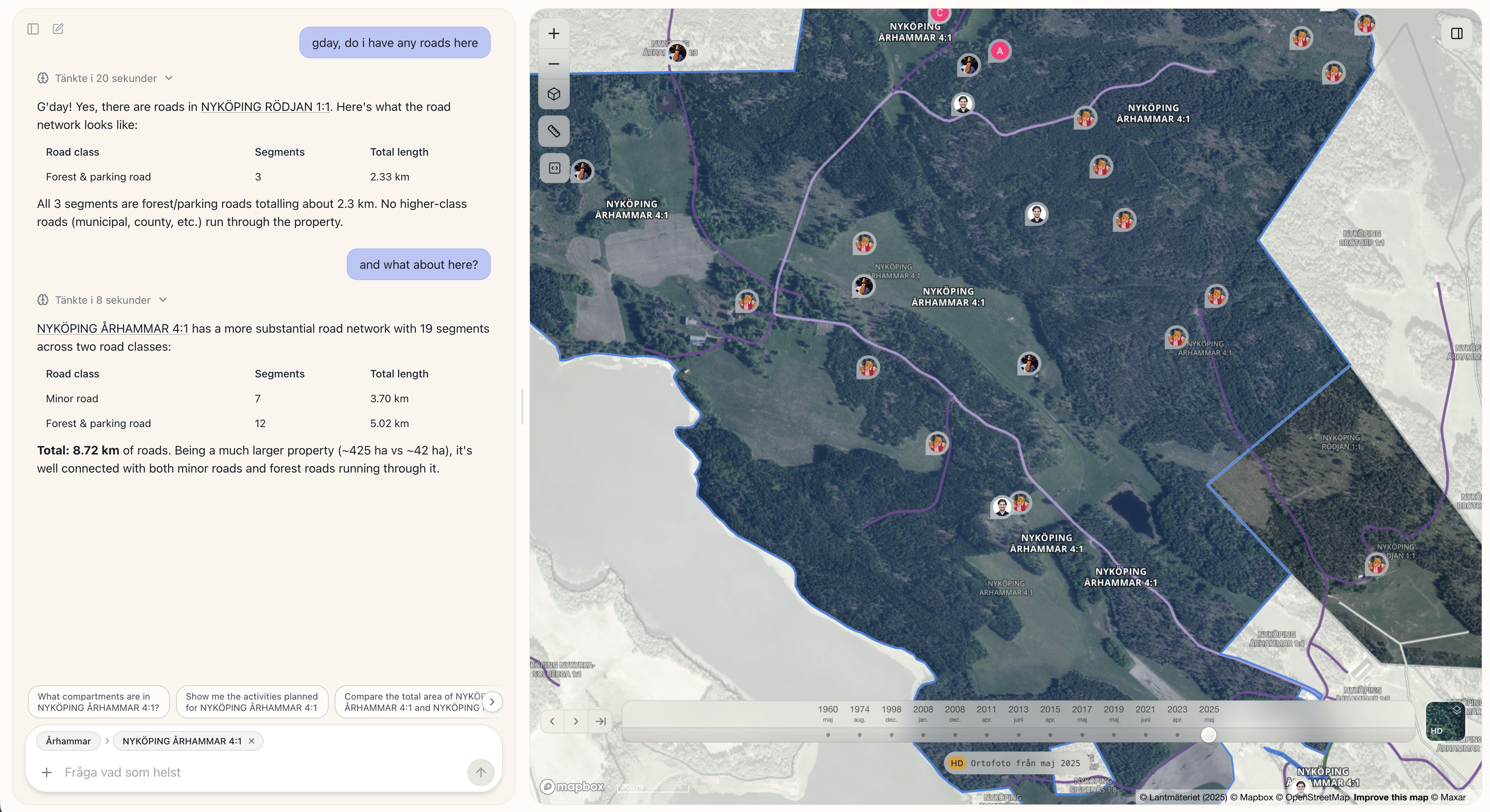
🆕 “Road information accessible in platform” - Road names/numbers and bearing capacity (“bärighet”), road class, road obstruction (“väghinder”), weight restrictions (viktbegränsningar) and other additional information from NVDB are now added to the platform. You can ask the agent questions about accessibility, what roads you should take to get from A to B or if there are any registered obstructions or similar.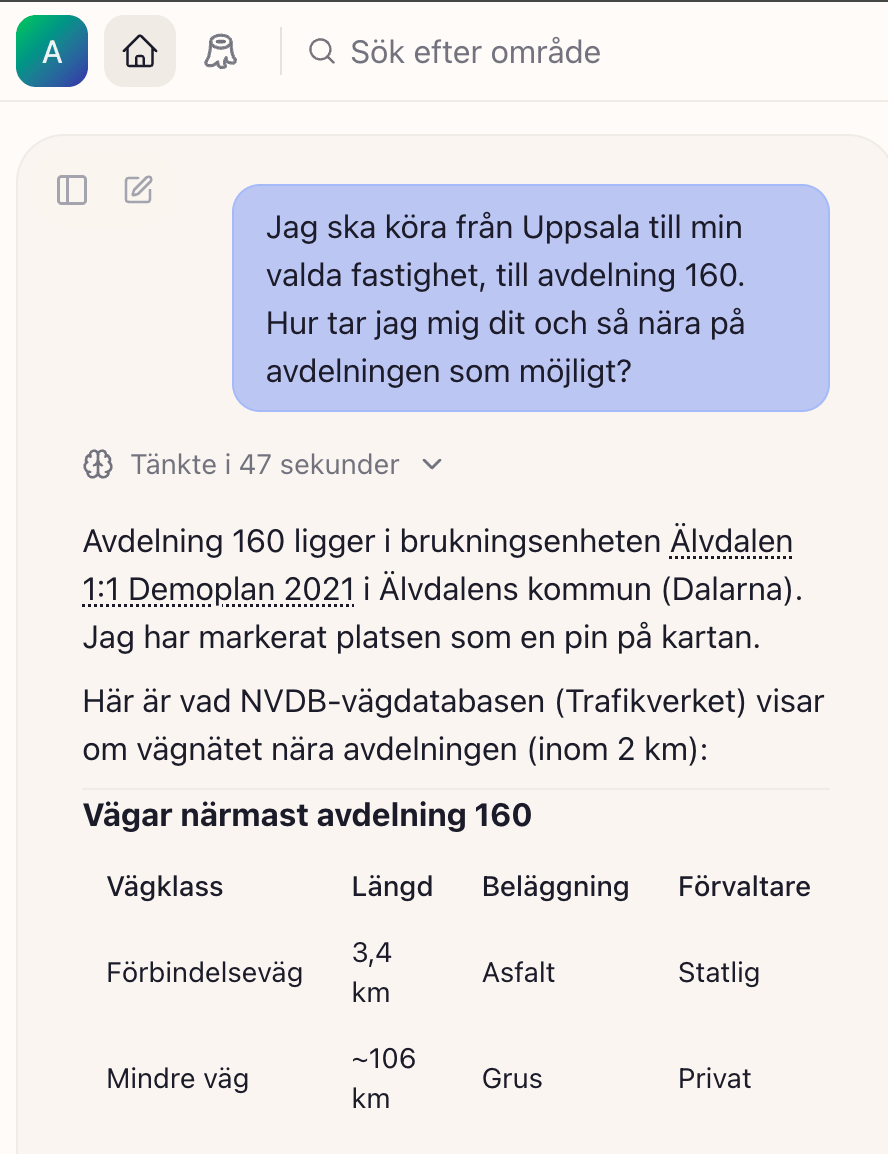
Aug 28th 2026
🆕 “All of Sweden with Timeline now shows in map” - We have released the full map of Sweden for all existing users and clients, with the Timeline capability live for all map tiles. Regardless of your subscription setup you can now search for Property names across all of Sweden. To access inventory metrics or get any other information you still need a subscription that covers this. We are iterating on this feature and happy to receive any feedback that you may have.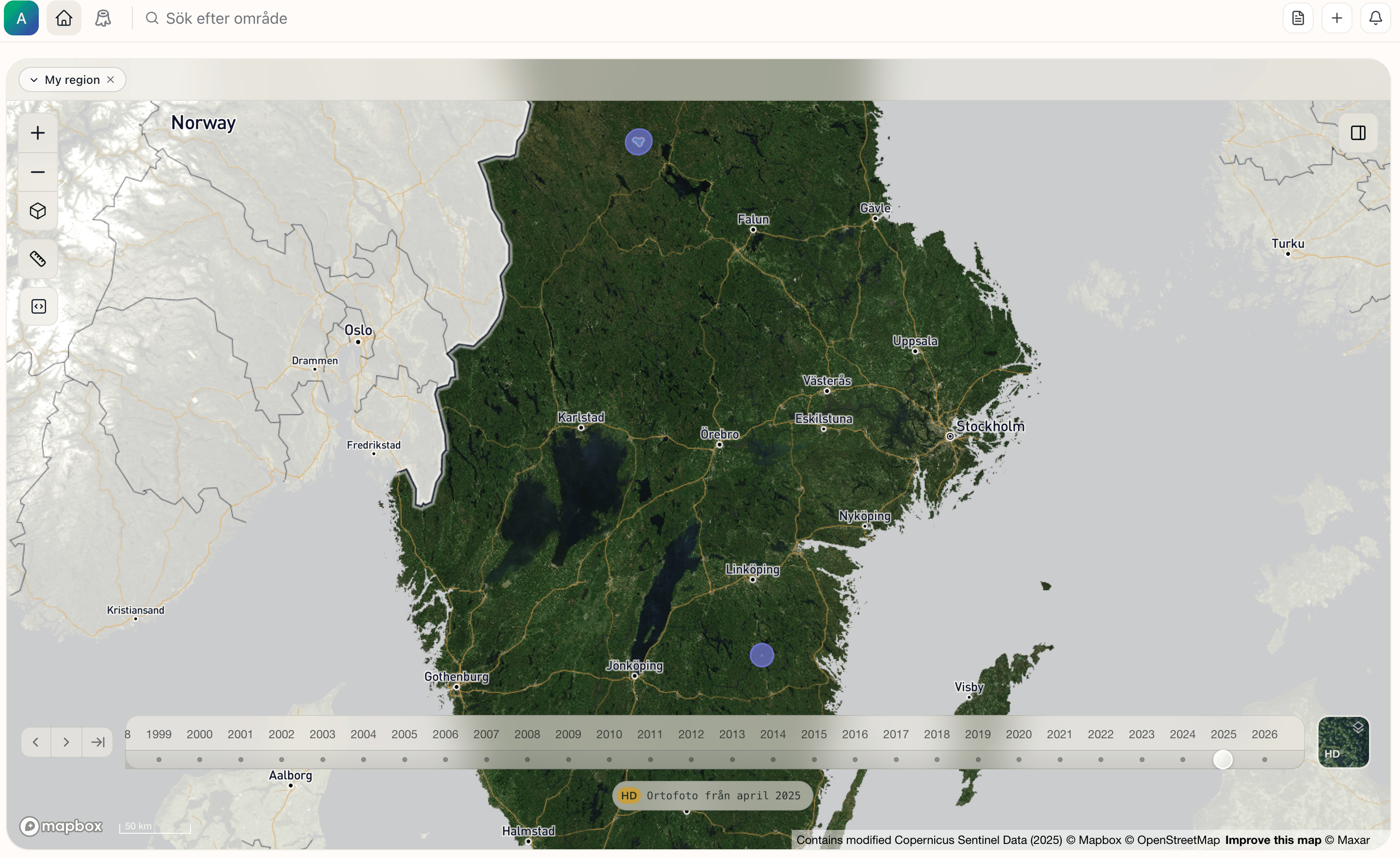
Aug 24th 2026
🆕 New “Organizational files are now live” - Organization owners can manage files for all users in the organization. Files can be opted in to be included in all conversations.Aug 19th 2026
🆕 New “Road data from NVDB is now accessible in the platform” - both via the agent and also as a layer. The colors are mirrored from how Trafikverket renders NVDB. Note that Mapbox’s own orange road layer is still available, same as before..png?fit=max&auto=format&n=W3UgQBtqmzUBaPJv&q=85&s=194bf8e2eb881c951338ca9f8531c8ba "Image (1)")
.png?fit=max&auto=format&n=W3UgQBtqmzUBaPJv&q=85&s=867a2a588d45eb664712cee29fc3912d "Image (2)")
Aug 18th 2026
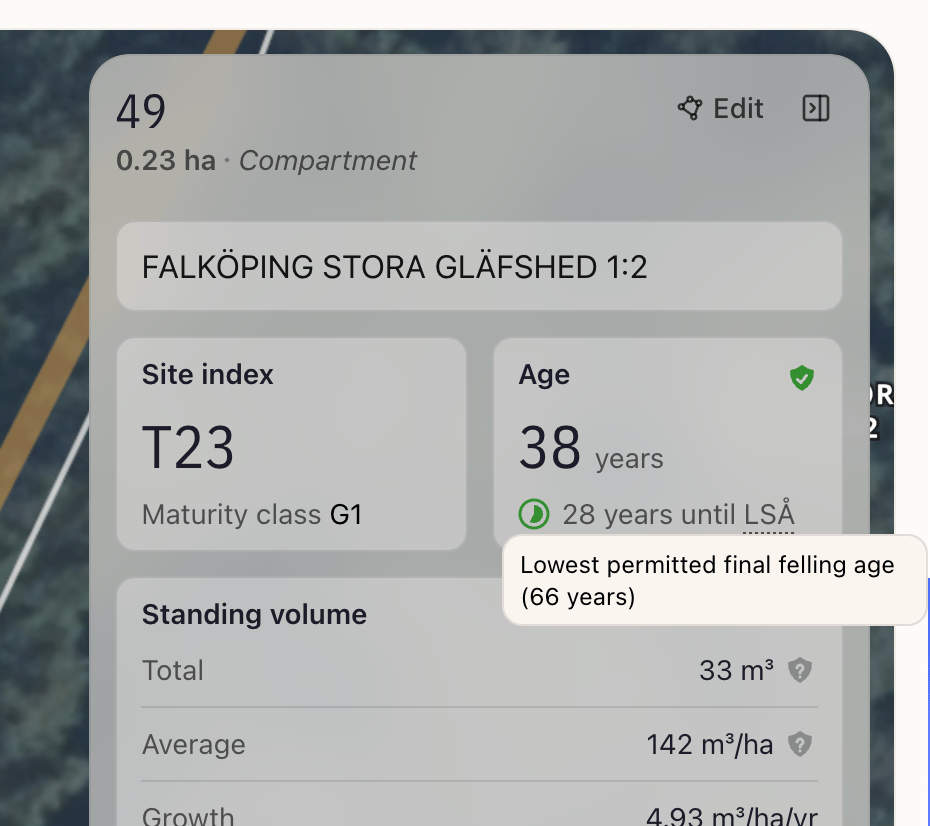
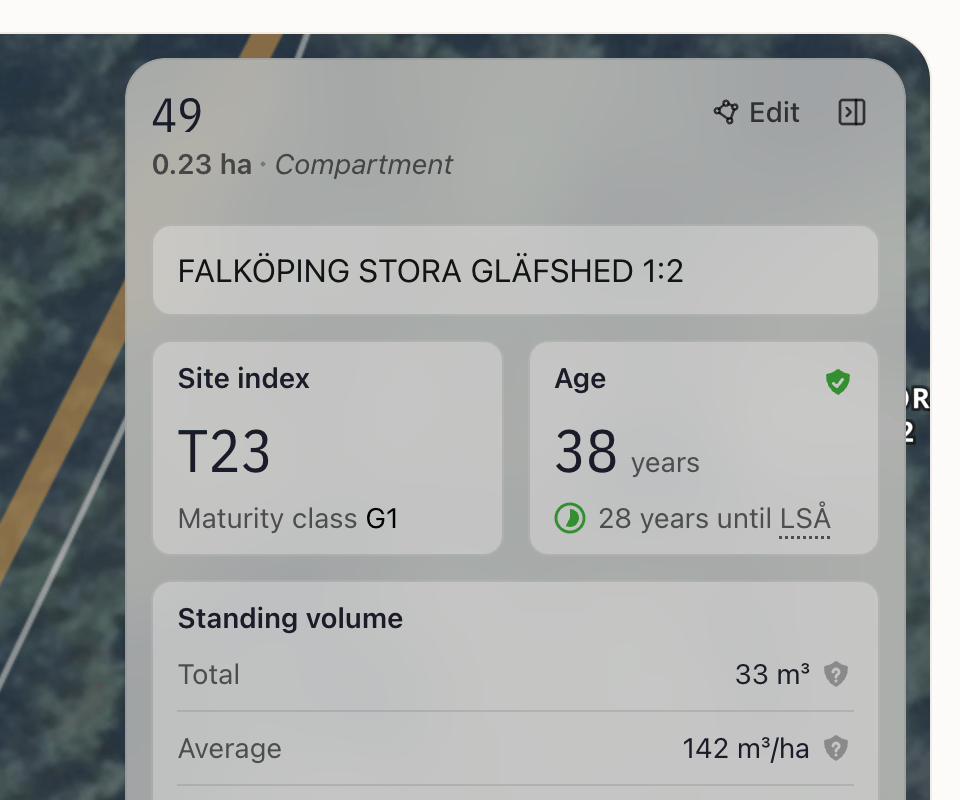
🆕 New “LSÅ” - The inventory card for compartments now shows days to or past LSÅ (lowest permitted final felling age) as well as growth (löpande tillväxt) for compartments.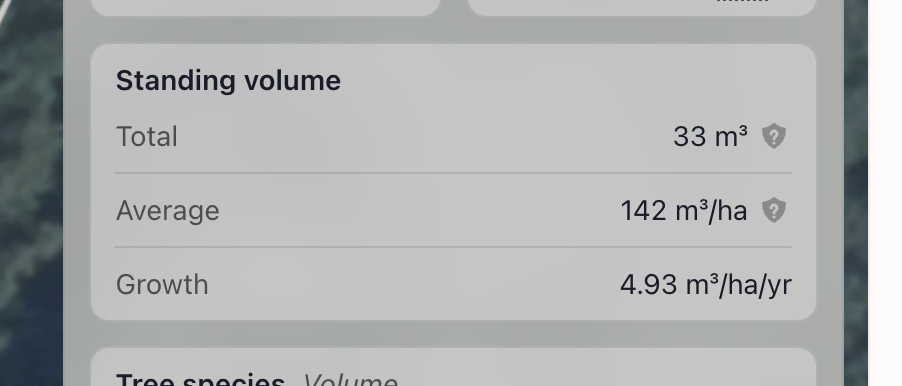
Aug 14th 2026
🆕 New “Share your map state with a link” - Opening the link takes your colleague to the same coordinates, with the same layers, date, and resolution selected. No data is shared (chat conversations, tileset access, etc.). The person you share the link with needs to have a Terra Labs account and access to the org that your share link is displaying a view from. 🆕 New “Avverkningsanmälningar” - (registered at Skogsstyrelsen) are now available and searchable in the platform via the agent for subscriptions that include the Timber Offering.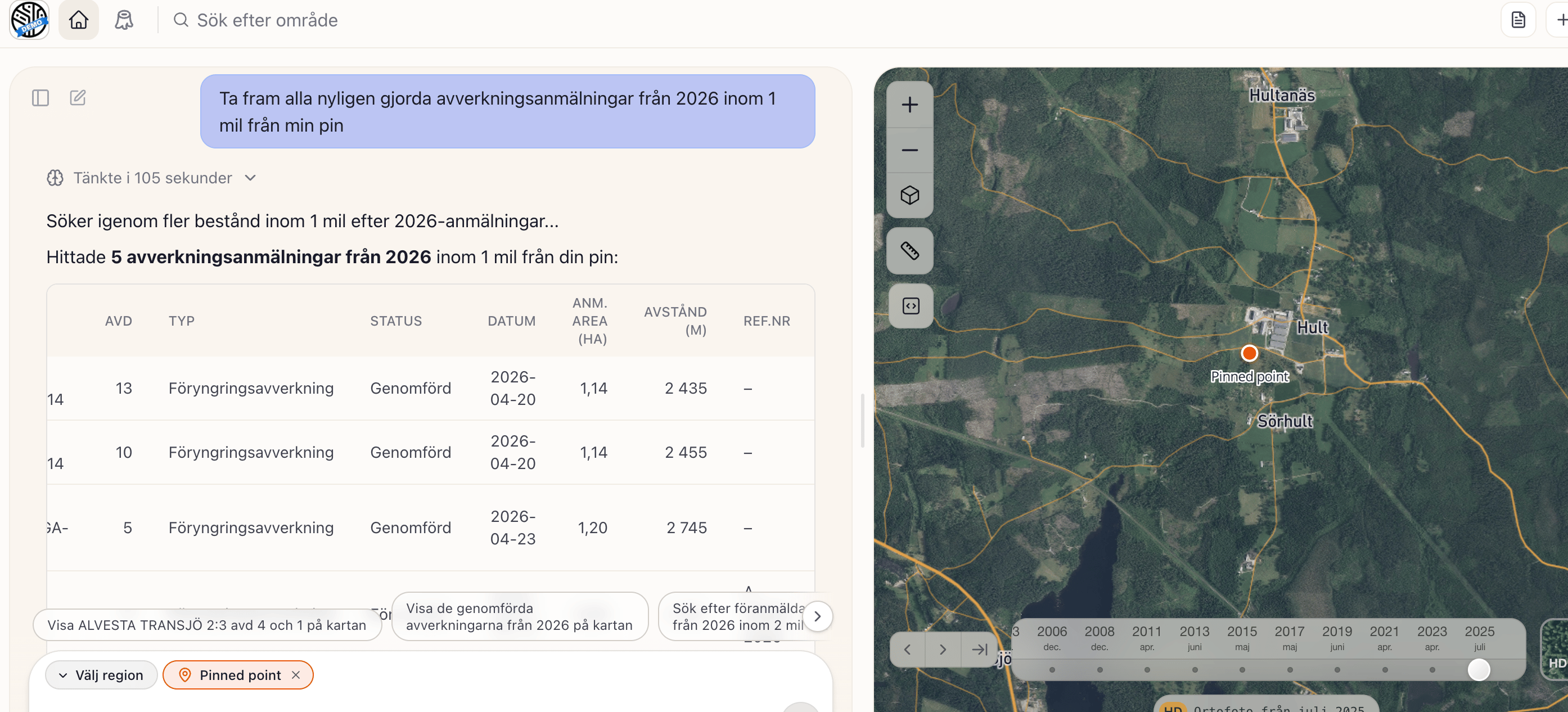
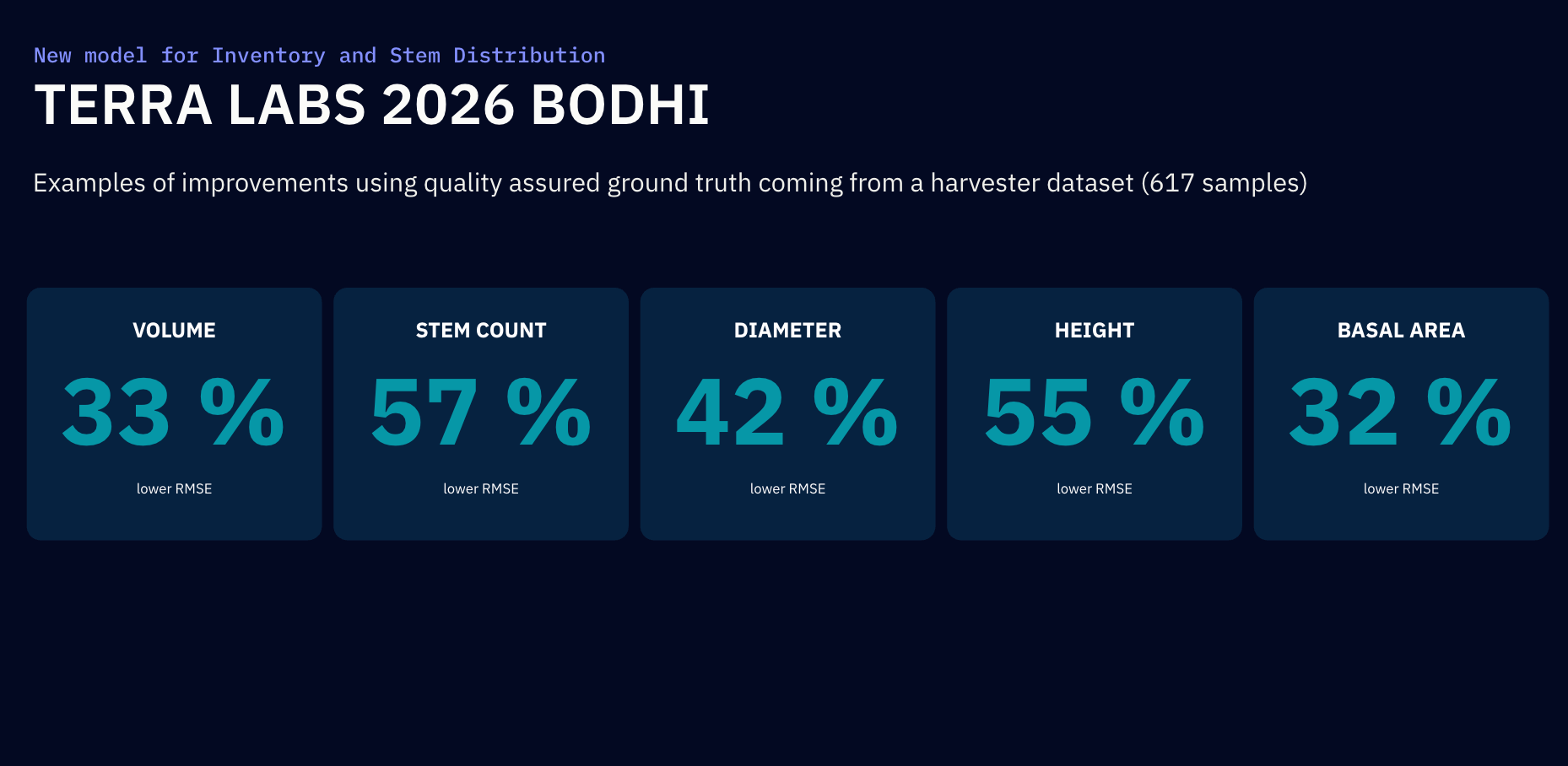
Aug 12th 2026 - New underlying AI model ‘Bodhi’ release - significant improvements
Sample updates from before:
- “Custom instructions”: Under Settings > Personal Chat Instructions you can now add rules that the Agent will follow in every chat conversation you have. For example an instruction/rule could be: “My role is forest advisory. Give my answers in bullet points and focus on forestry management from an individual forest owner perspective”.
- “PDF export”: You can now export your map view and chat conversation via the Export PDF button.
- “Multi-Select”: The selection of MU, Compartment, CU, and CU Compartment now supports multi-select. This means that both the agent and the user can select multiple entities at the same time.
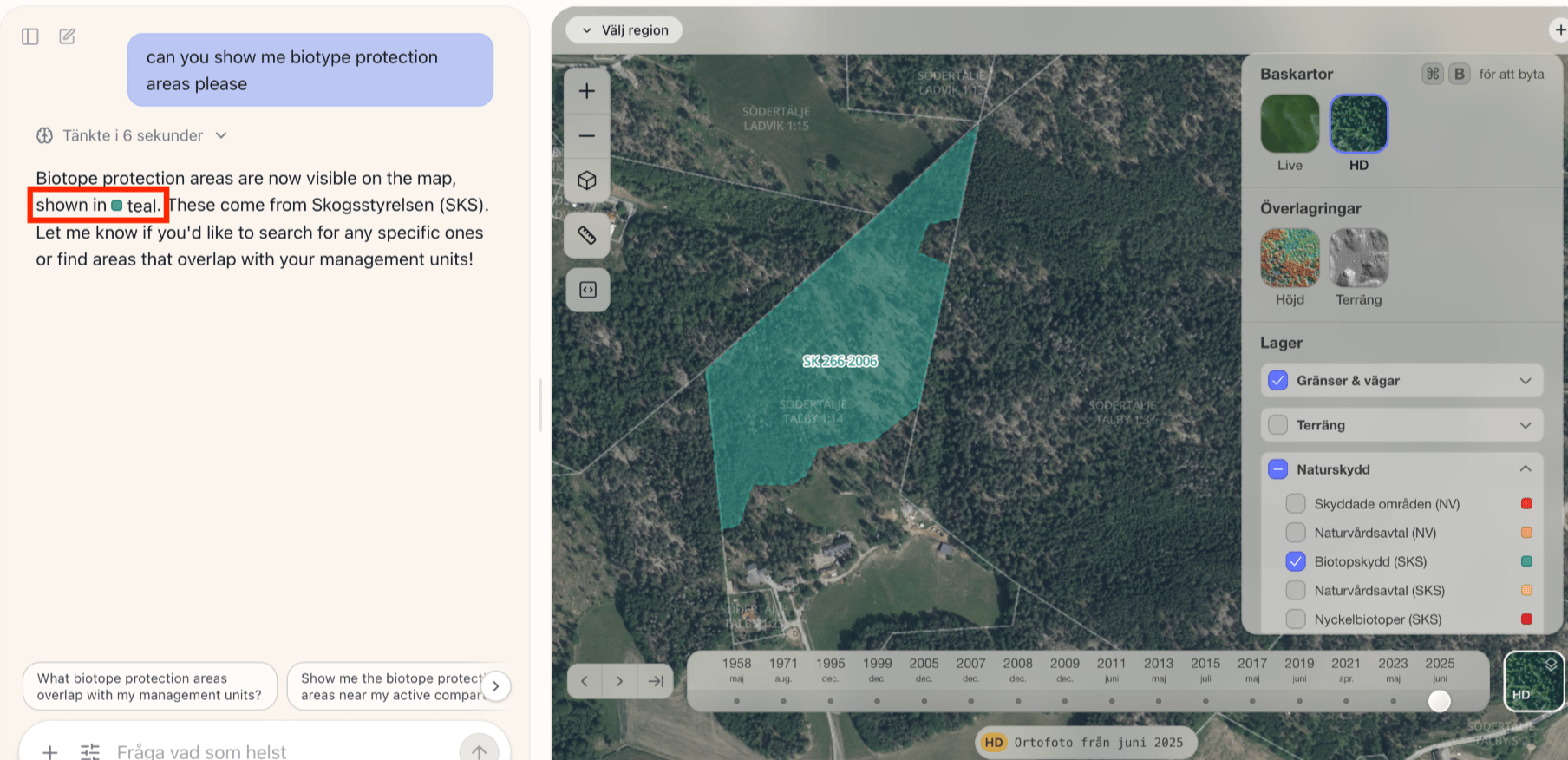
- “Layer aware”: The agent is now aware of and can interact with all the different layers available in the platform (ex: nature protection areas).
- “Improved ‘Fastighetsbeteckning’ search” - The agent has received additional context around Swedish property naming and thus significantly improved its property search capabilities.